Why Zolvit 360 is needed?
1
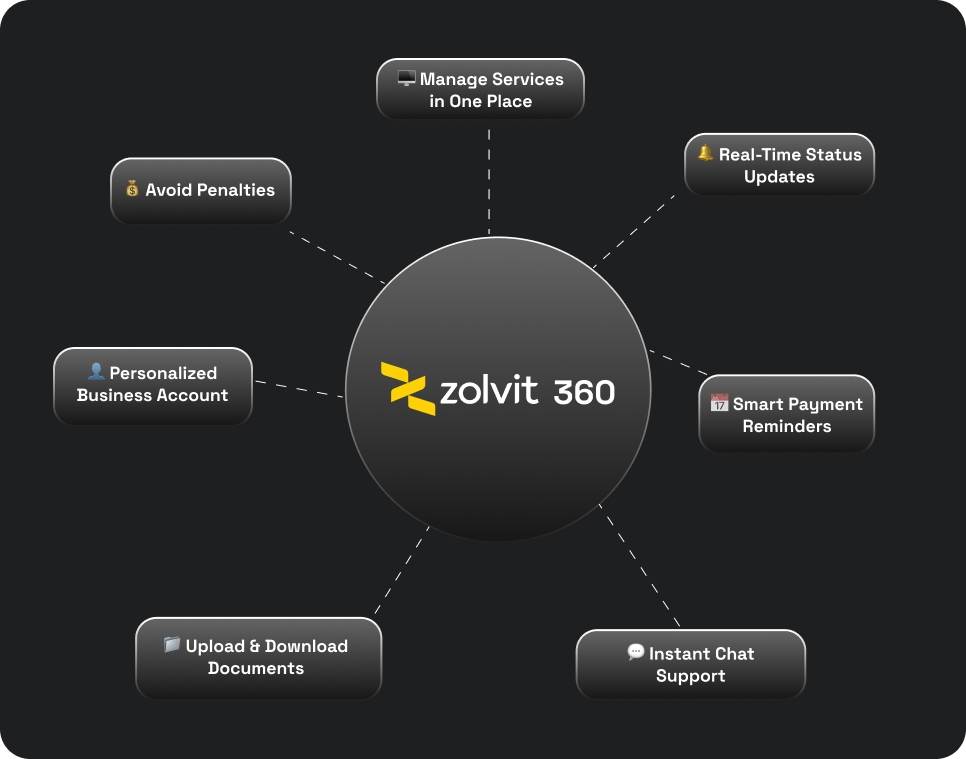
Post-onboarding platform to manage all compliance activities in one place
2
Real-time status dashboard to track filings, tasks, and service progress
3
Renewal & due-date visibility to stay informed about upcoming payments and obligations
4
Compliance tracking to ensure businesses stay compliant and avoid penalties
5
Self-service account that gives users control over their business compliances
6
Centralized document management for easy upload, download, and access anytime
Goals
-
•
Develop a comprehensive platform that allows users to manage all their business needs and requirements in
-
•
Reduce dependency on external communication channels (WhatsApp, email) by enabling in-platform messaging and document handling
-
•
Enable users to self-complete the majority of tasks through guided forms and clear workflows, reducing reliance on agents
-
•
Organize service-related communication by service type and status for a more efficient experience
-
•
Improve user & role management for businesses handling multiple entities under a single account
Initial thoughts
1
Identified the need for a dashboard-driven platform to manage all post-onboarding activities
2
Collaborated with cross-functional teams to brainstorm ideas and define core requirements
3
Addressed multiple questions and uncertainties around user flows, permissions, and scalability
4
Consolidated inputs and mapped them into clear flows and feature priorities
Questions...
Why would businesses need Zolvit 360 after onboarding?
Should the platform support responsive access across desktop and mobile?
Can users continue and manage services independently after onboarding?
Are there existing solutions that address similar compliance needs?
How do we encourage regular usage and long-term engagement?
How should we handle drop-offs during onboarding and service activation?
What are the key service categories users need quick access to?
For one-time service users, is a full dashboard experience necessary?
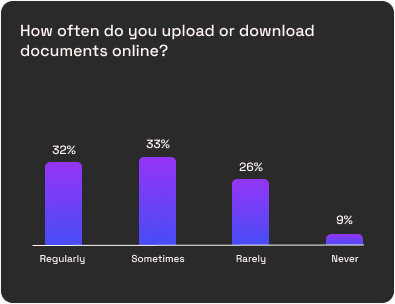
User Research
Conducted user research by engaging with existing and new customers through calls and surveys to understand their needs, challenges, and expectations. Key pain points and behavioral insights were documented to inform product decisions and UX direction.
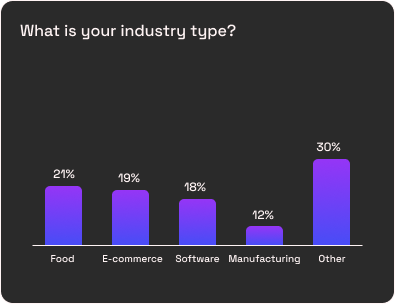
User Responses
*Insights collected from surveys and interviews with existing users during the research phase.
After Multiple Discussions
-
•
Finalized the core features required for the product
-
•
Planned the workflow and structure before moving into design execution
-
•
Achieved a clear understanding of the product vision and scope
Things to Have in the Product
Dashboard homepage
Services
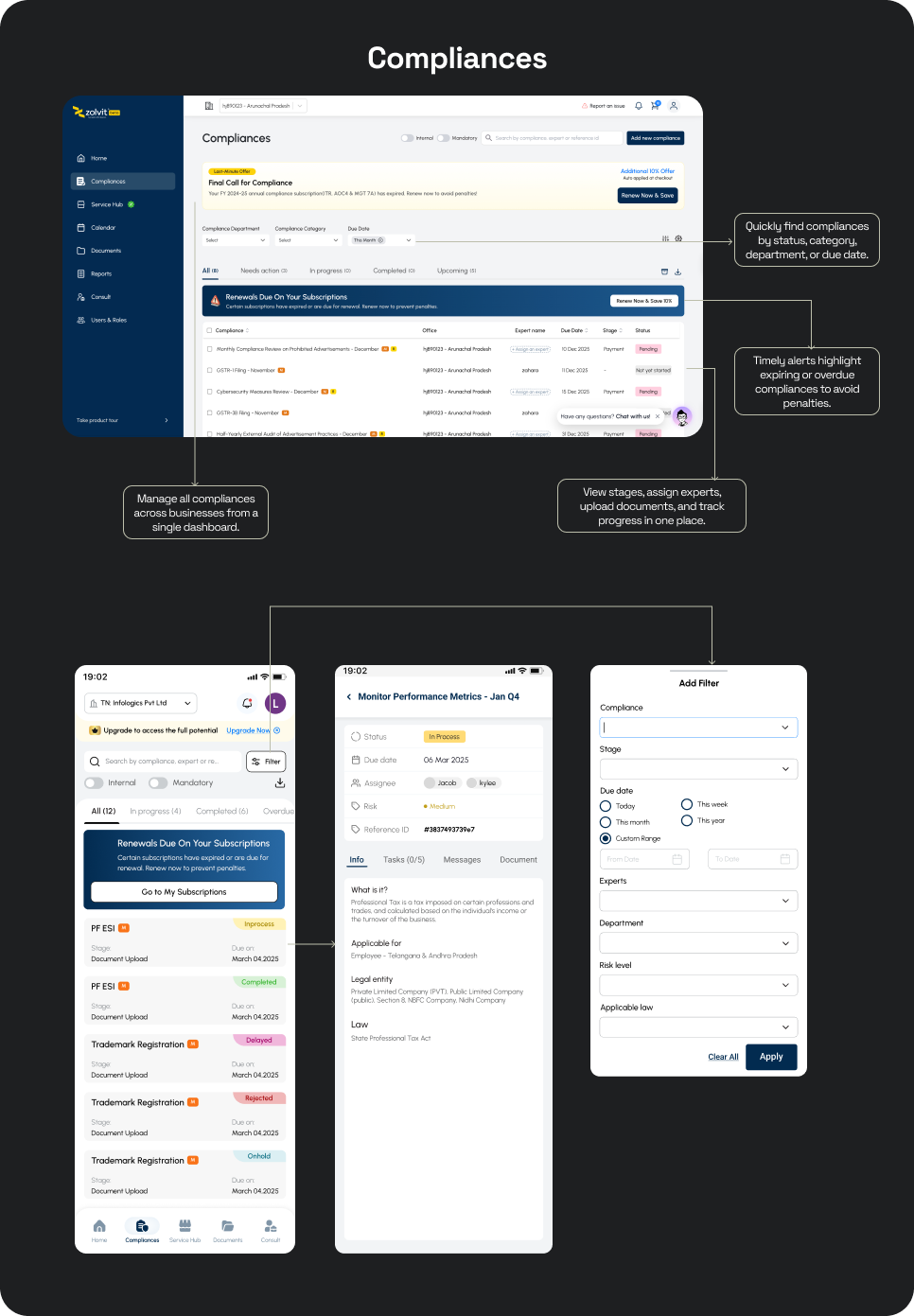
Compliances
Document
Consultation
Reminders
This structure ensures discoverability, clarity, and minimal cognitive load.
Started sketching the flows
Began the design process by sketching multiple user flows to explore layout possibilities and validate navigation patterns before moving into digital wireframes.
Rough Sketches
From the scratch
Alright then, let's design the experience
Started with
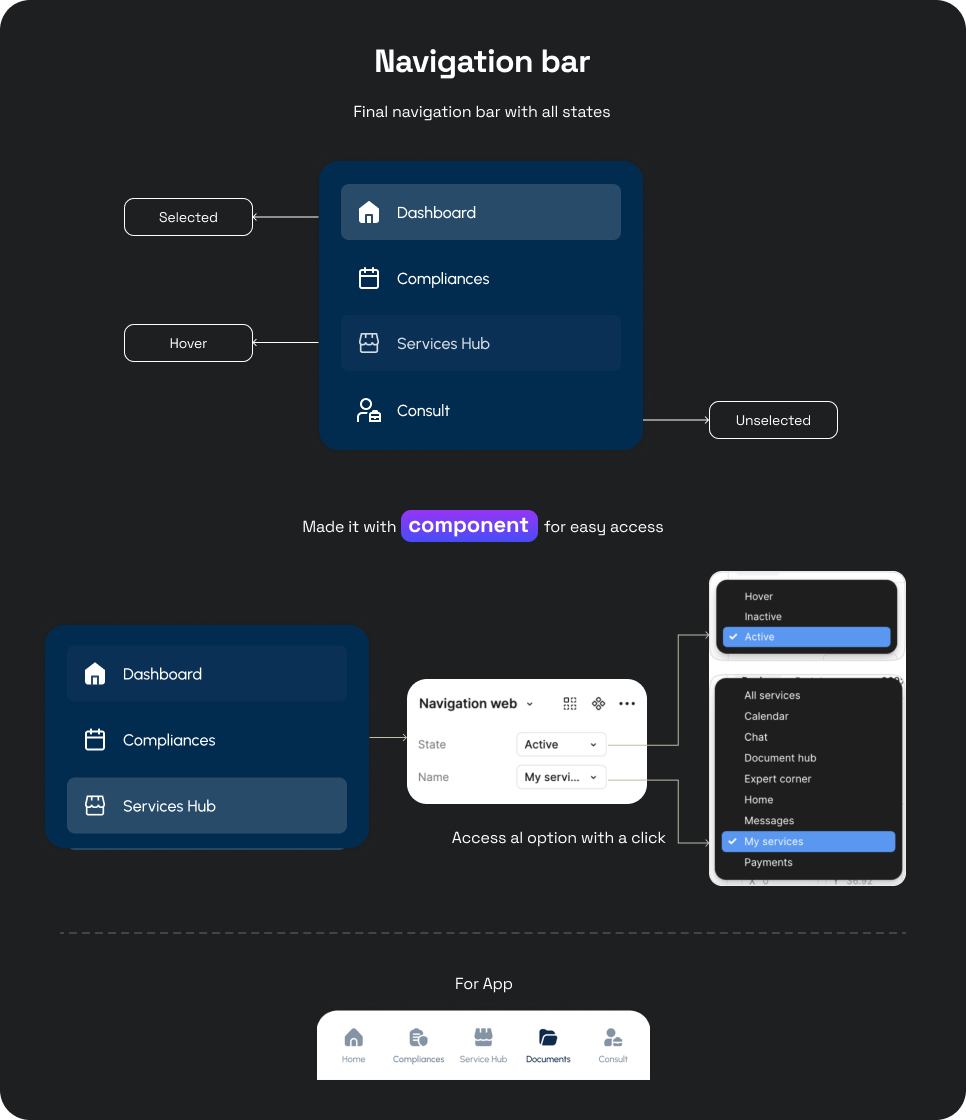
Navigation Structure
1.
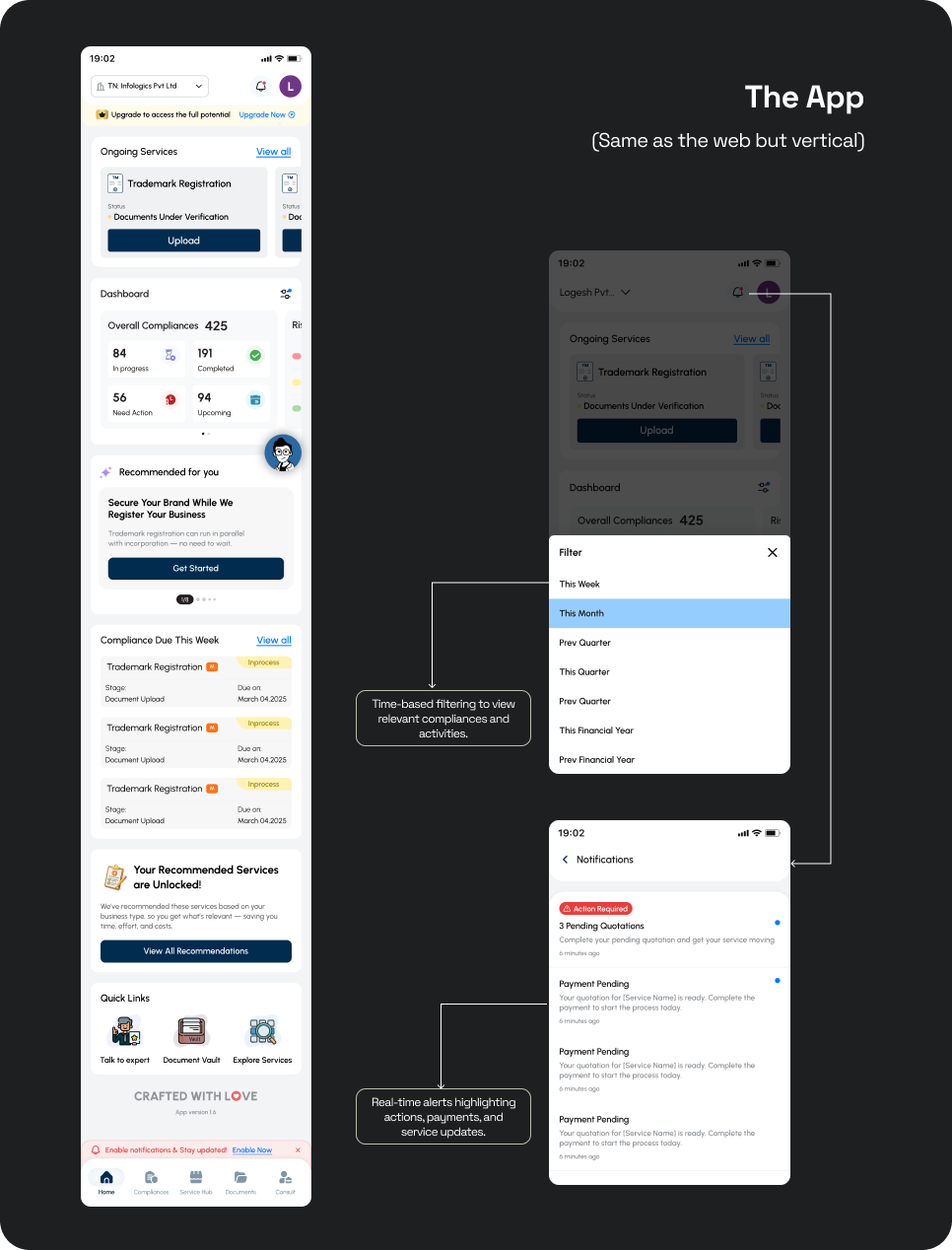
Simplified navigation for web and app with platform-specific layouts
2.
Built reusable Figma components for quick iteration and scalability
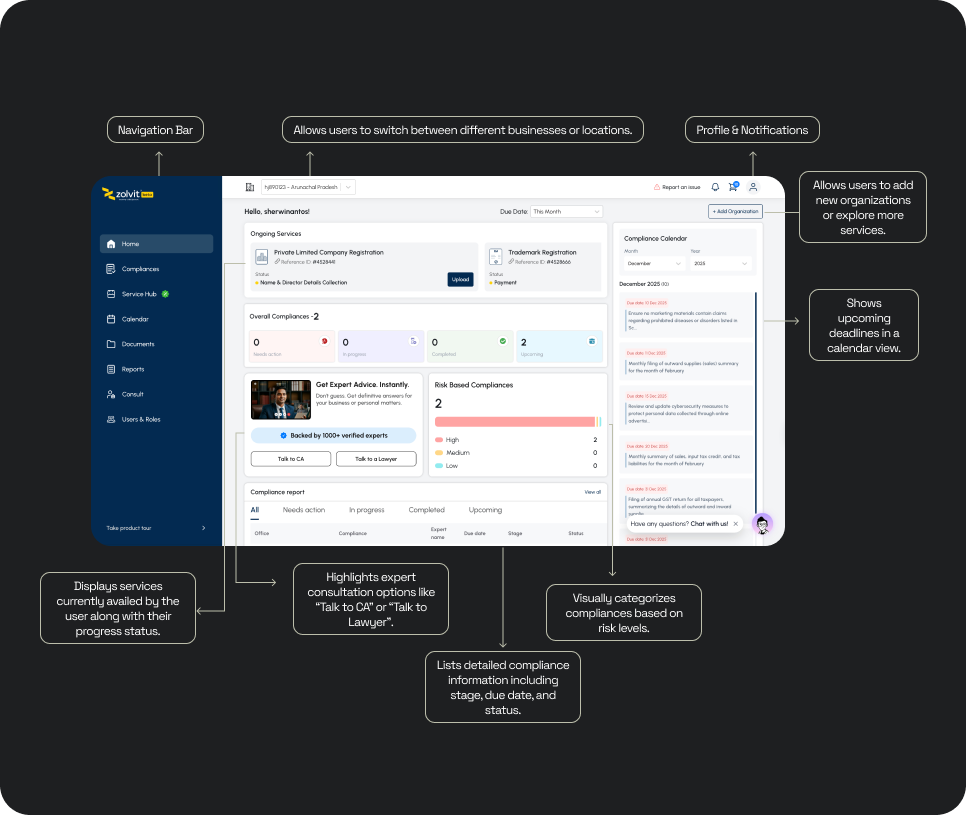
Homepage
After login, users land on the homepage, which acts as the central dashboard for managing services and compliances. The first two folds present a clear overview of ongoing services and overall compliance status for quick visibility. Key compliance metrics help users understand what is in progress, completed, upcoming, or needs action.
Compliances
To run a business, users must regularly follow statutory and regulatory compliances to avoid penalties and legal risks. Users select a business entity, as each business has its own compliance requirements and compliance score.
My Services
Services are grouped into four categories based on their current status to help users track progress easily. Supports both recurring services (monthly/annual renewals) and one-time services, clearly distinguishing between them.
Documents
Centralised all business and legal documents into clearly defined folders for easy access. Organised documents by type (Zolvit, License, Legal, Personal) to reduce search time.
Consultations
- Centralized view of all expert consultations, including lawyer and CA sessions, across different stages
- Each consultation card clearly shows expert details, consultation type, date, duration, and current status
- Users can start a new consultation, track ongoing or past sessions, and view detailed timelines
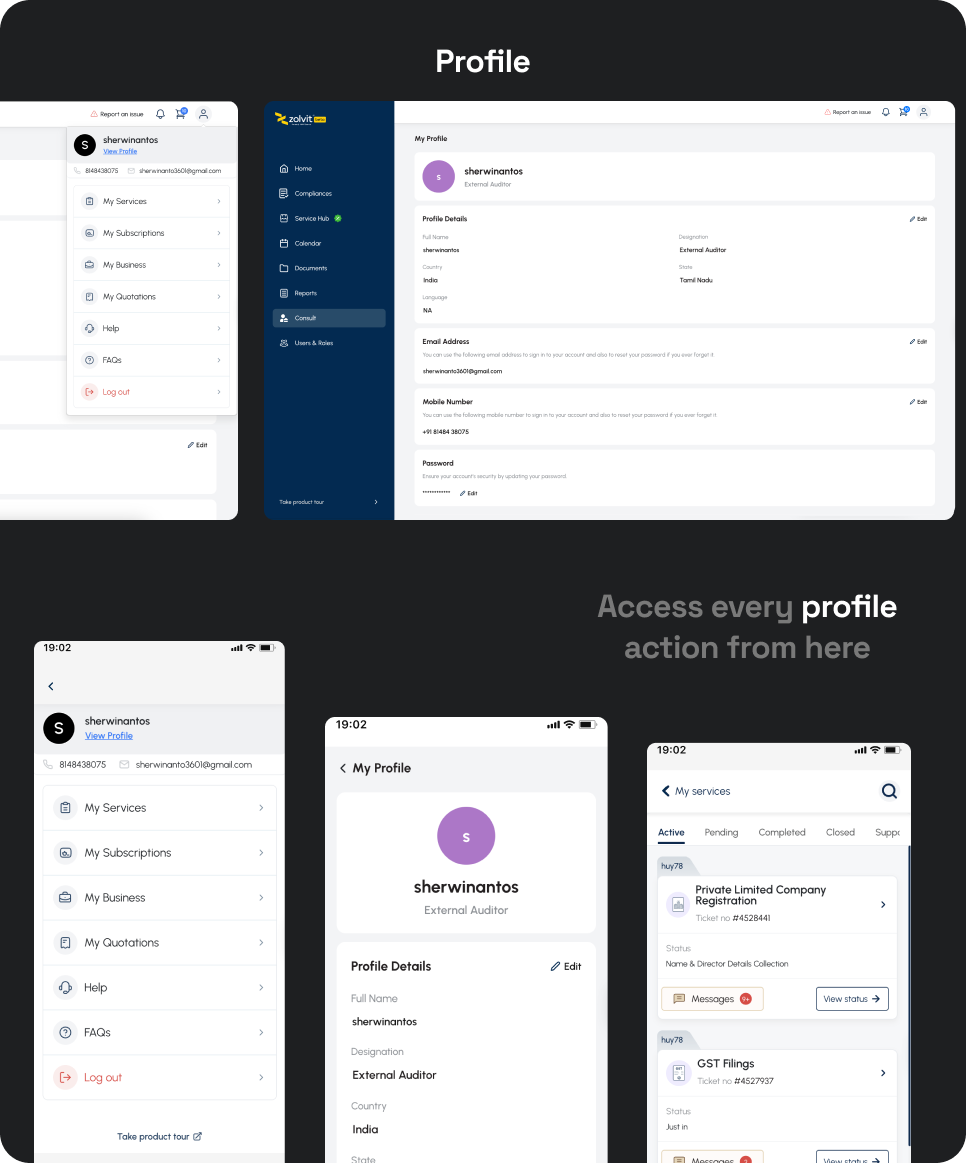
Finally Profile section
- Users can manage their personal and business information in one place, including KYC, address, and personal details.
- Allows adding and managing businesses, users & roles, password settings, help, and support, all from a single centralized section.
Design Add-ons
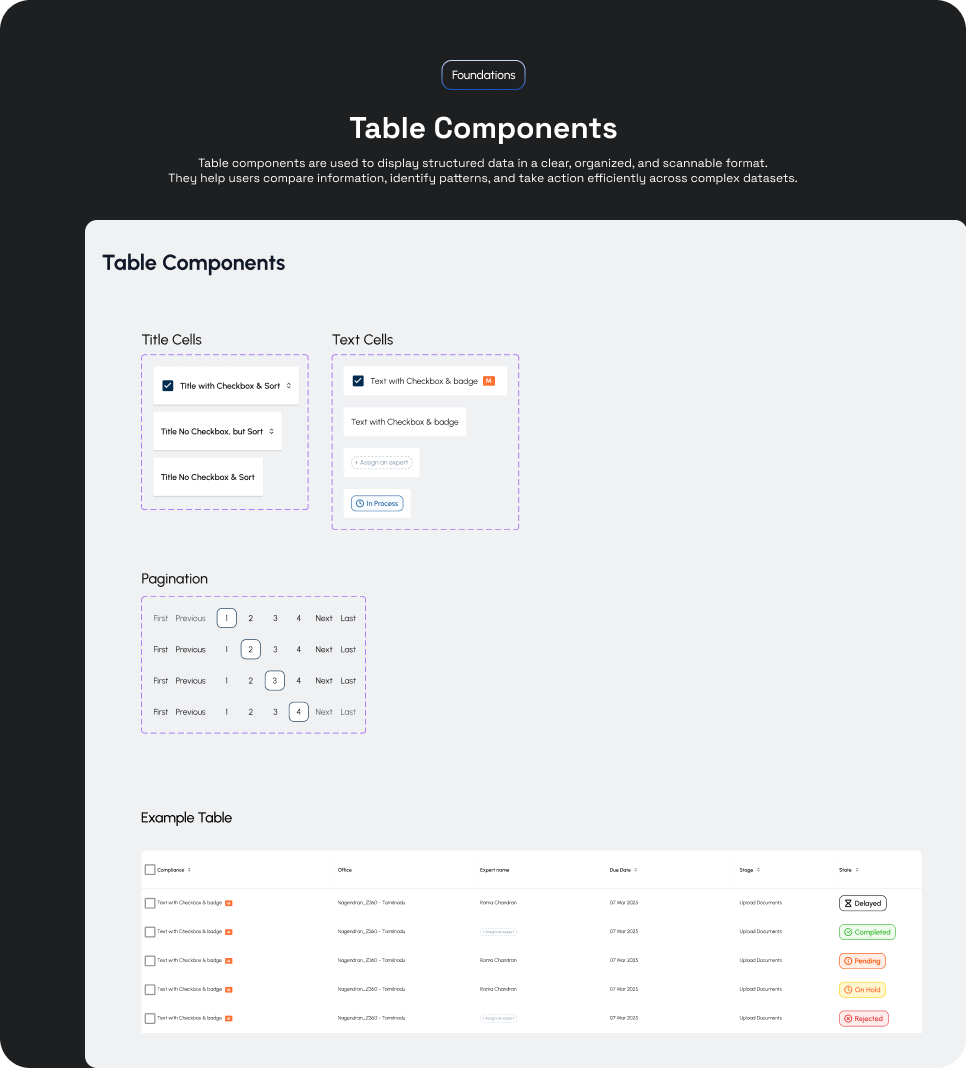
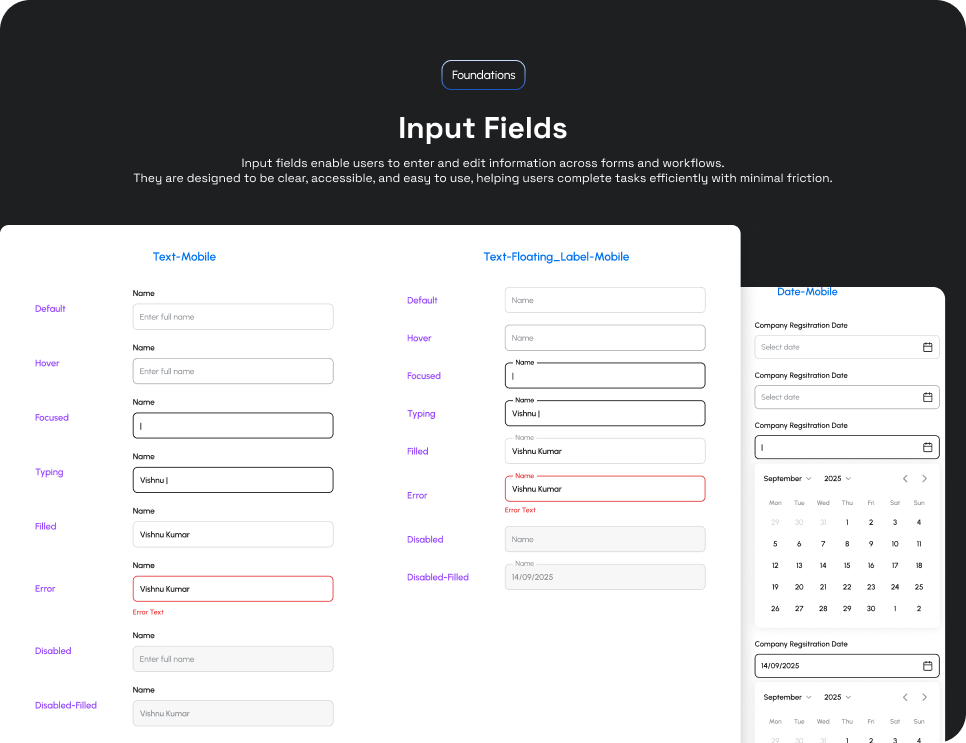
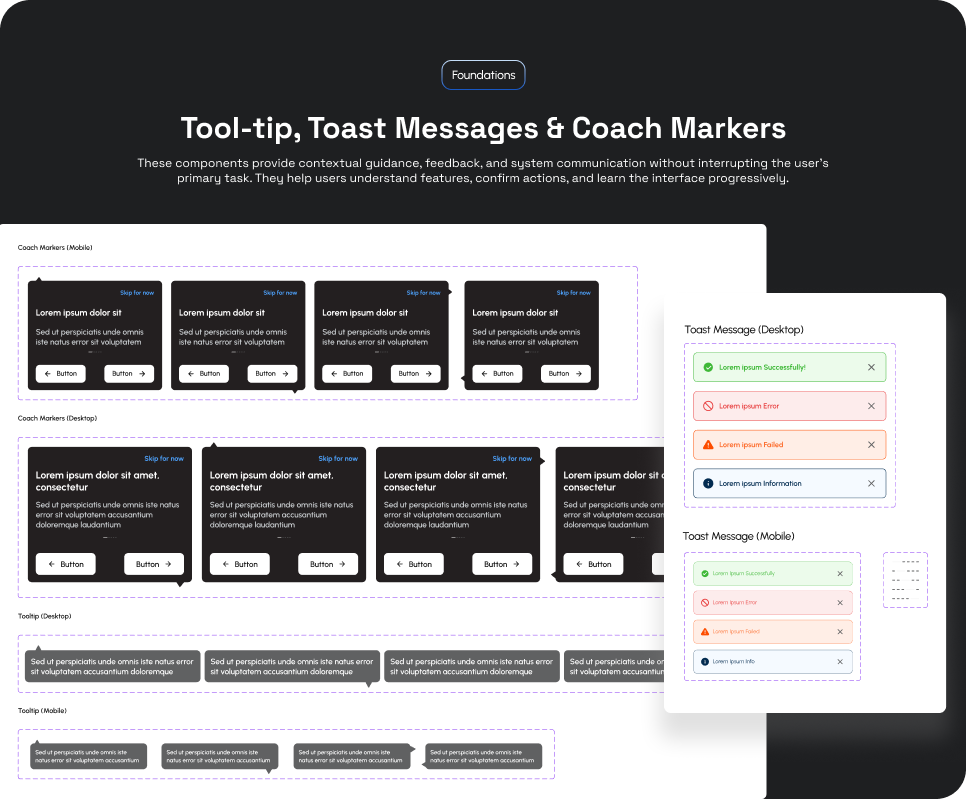
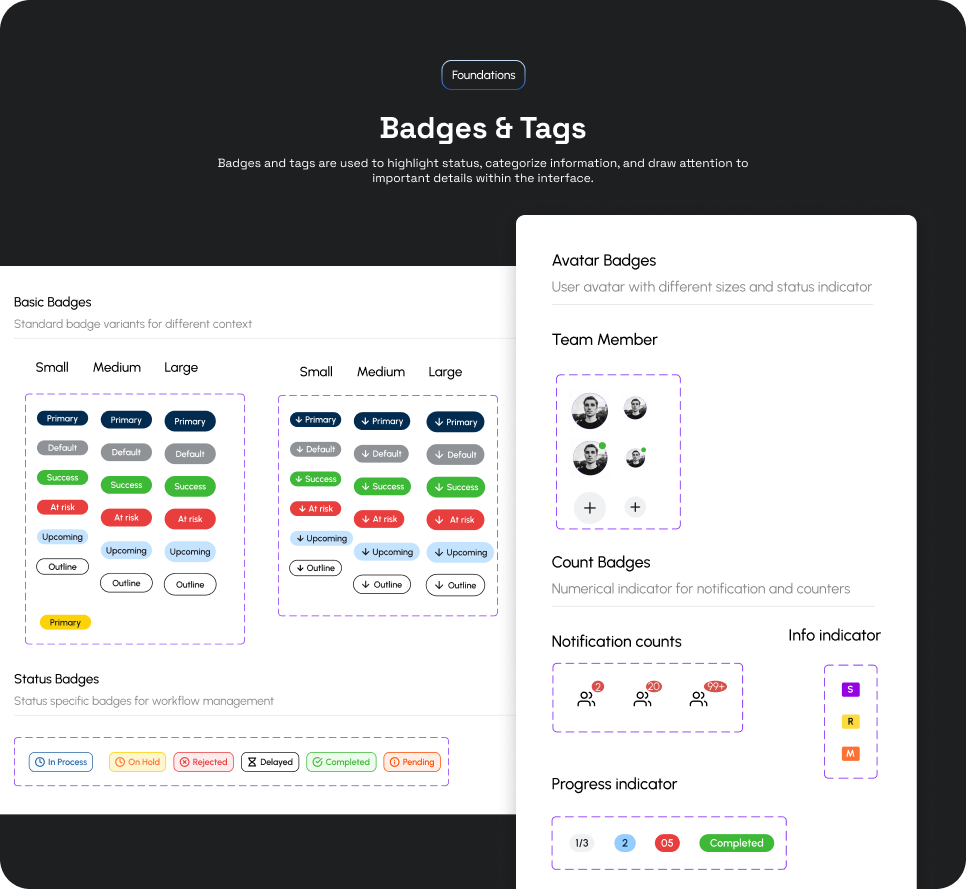
- Carefully designed all field states and micro-interactions to ensure clarity and consistent user feedback across the product.
- Paid close attention to edge cases and small details, minimizing gaps and avoiding missed UX scenarios.

And the design went live... 🚀
Any impact created?
"After effects" of Zolvit 360
-
•
700+ users onboarded daily after the launch of the redesigned Zolvit 360 dashboard.
-
•
81% of users entered 2650+ via paid purchase redirection, while 19% accessed directly from homepage login.
-
•
4.5k+ active users every day tracking compliances, uploading documents, and managing renewals in one place.
-
•
Next enhancement planned: A self-serve post-payment flow enabling users to submit details and upload documents independently.
Key Metrics
4.5k+
Active users every day
Final Takeaways
-
•
I had a great time working end-to-end on a complex, regulation-heavy product.
-
•
Designing for compliance workflows helped me deeply understand edge cases, system trust, and clarity at scale.
-
•
Learned a lot along the way—especially how critical status visibility and next-step guidance are for business users 🎯
-
•
Next → Planning to analyze real user behaviour using Clarity and Mixpanel to iterate further 🚀
Tools
Figma
Check out the other project
(It's a little more interesting 😉)
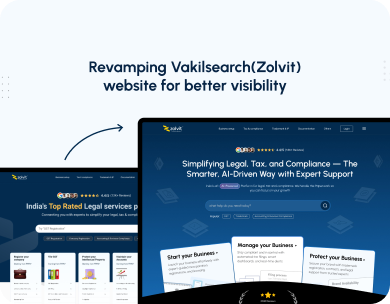
Revamping Vakilsearch (Zolvit)
Website
Bangalore Cafe Mobile App
Products
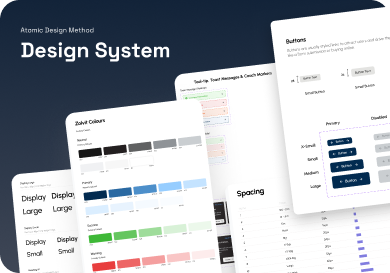
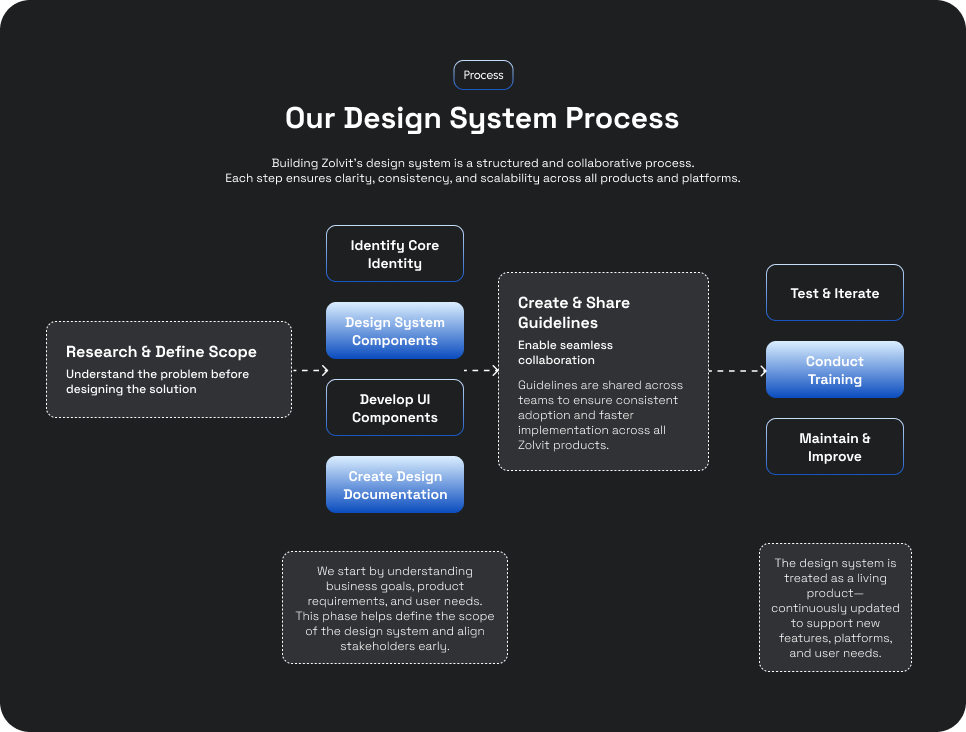
Design System Process
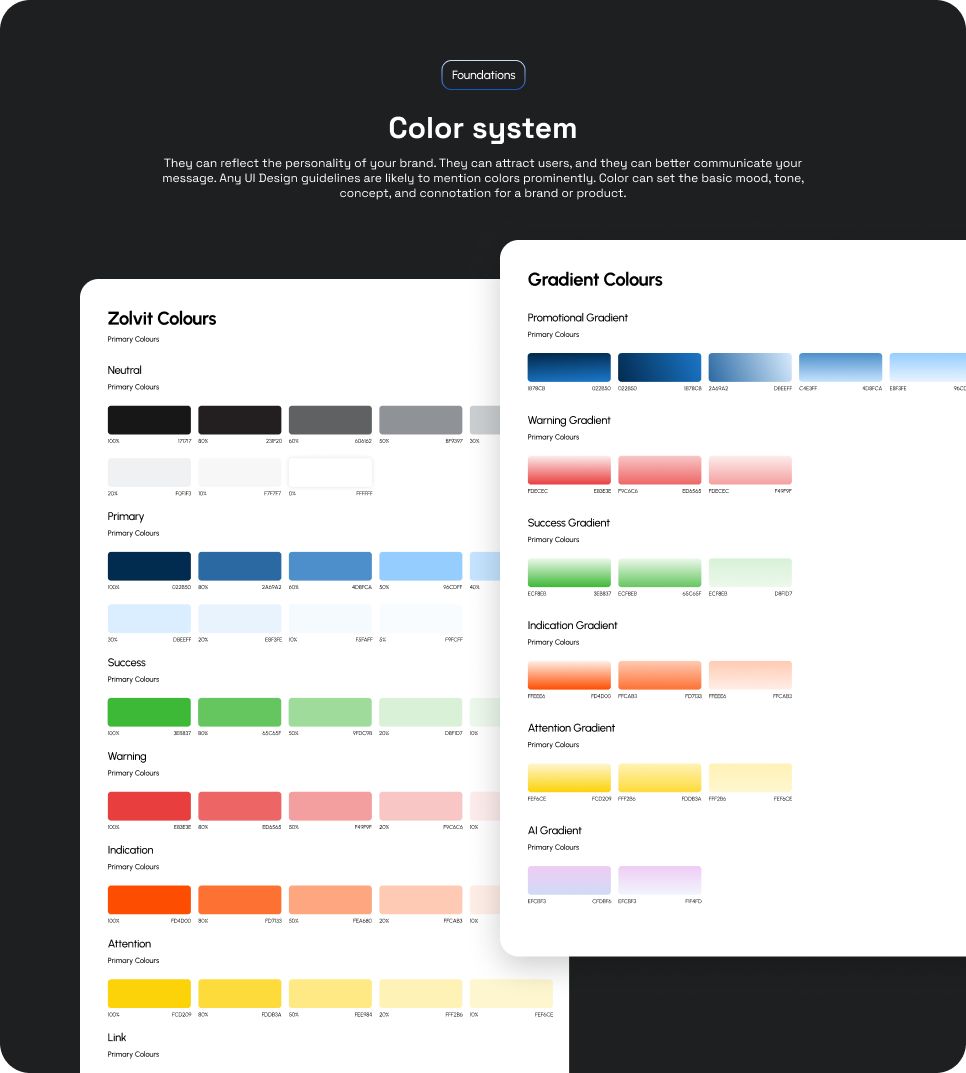
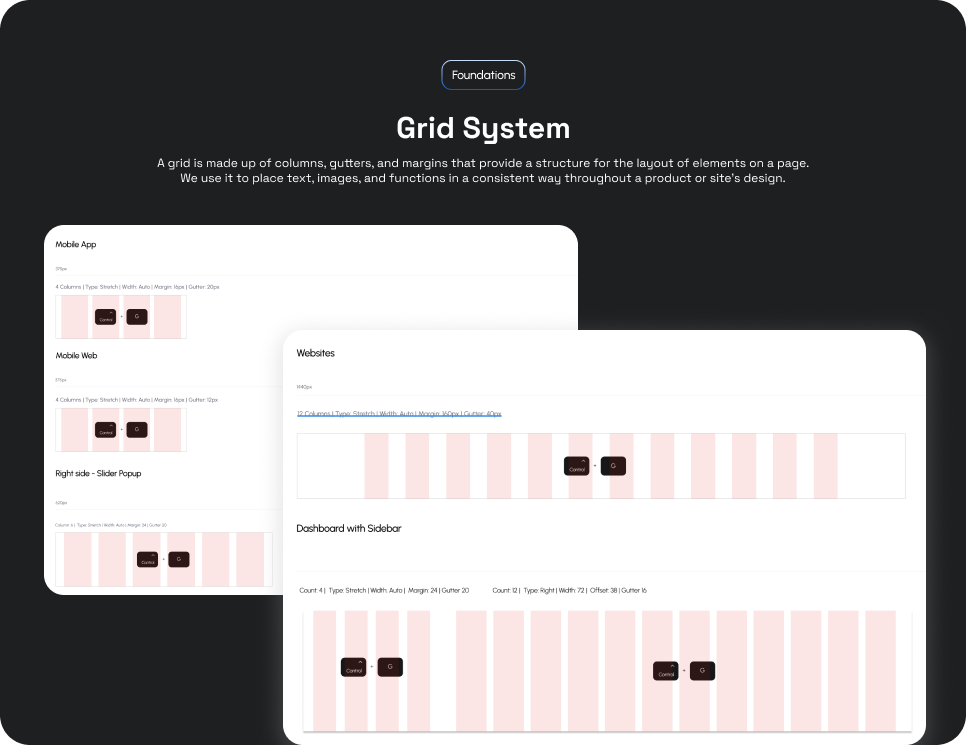
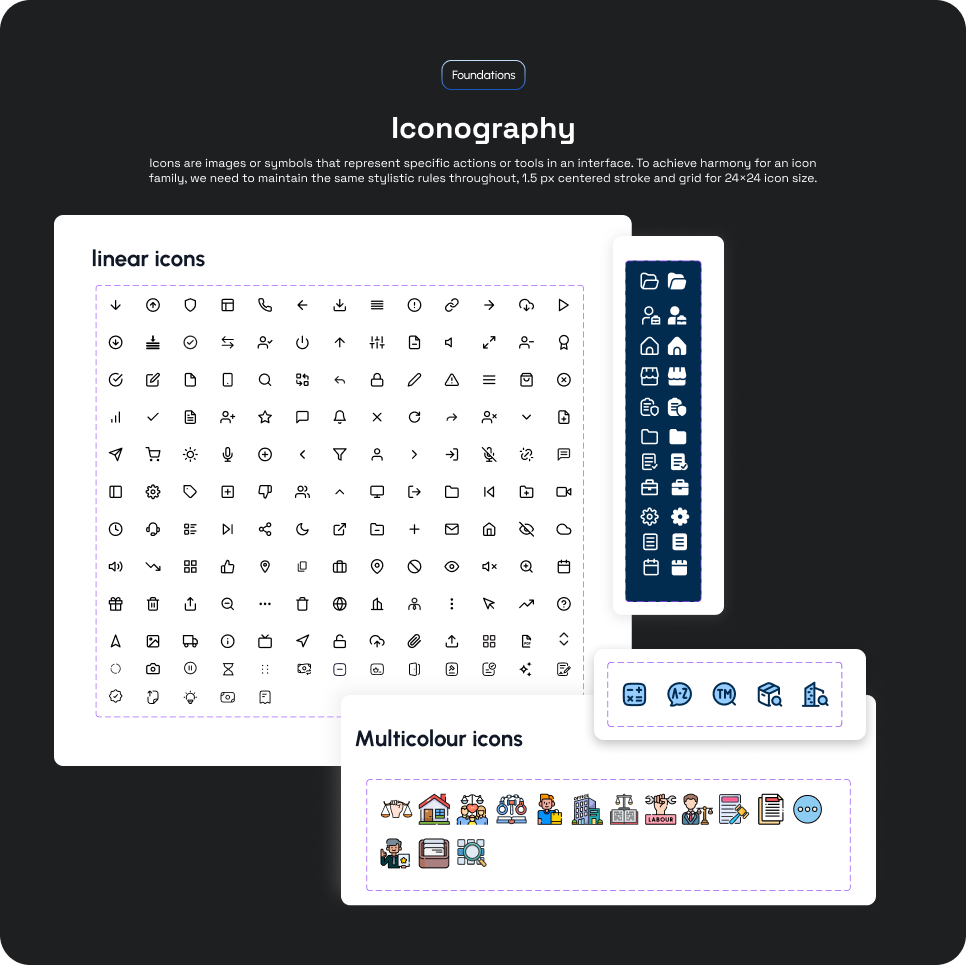
Product & UI Foundations
Revamping Vakilsearch (Zolvit)
Project Overview
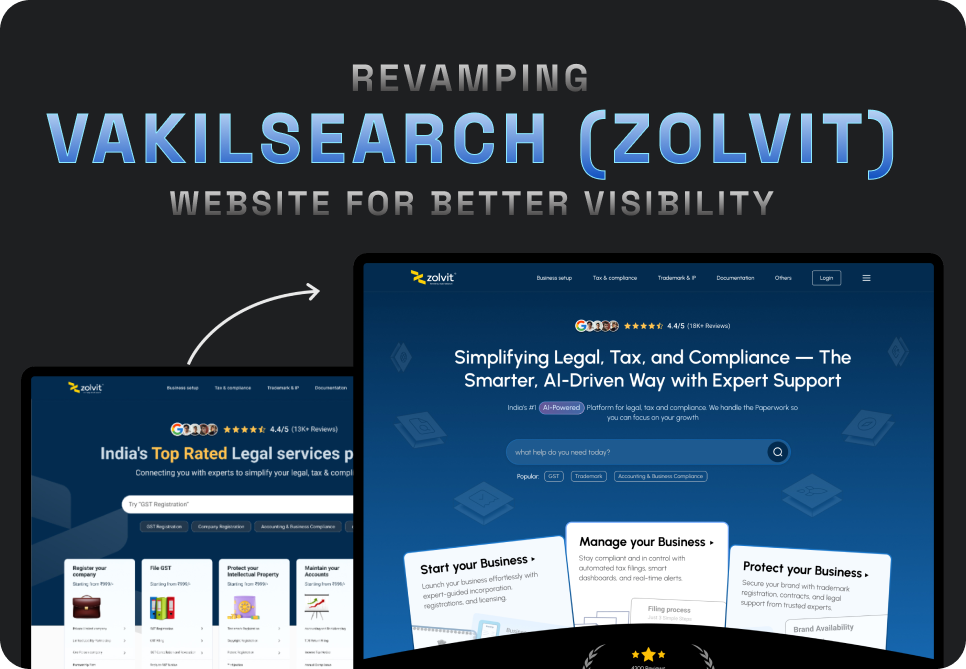
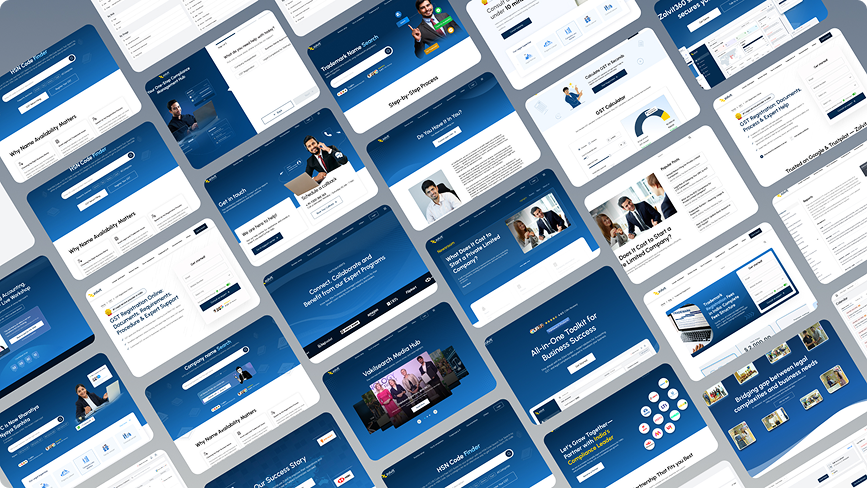
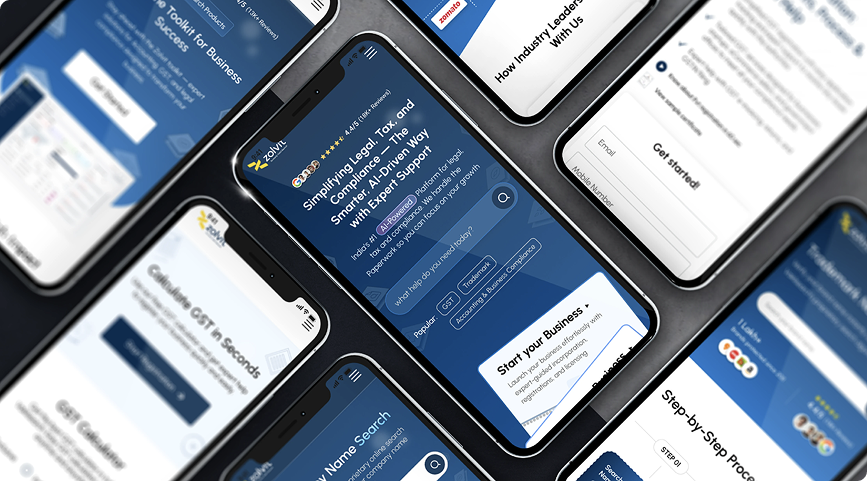
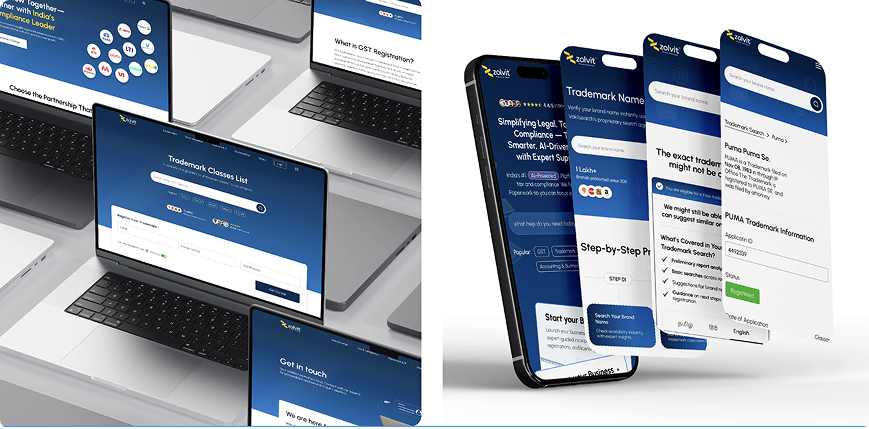
As a UX/UI designer at Zolvit, I spearheaded the redesign of Vakilsearch's B2B and B2C service-related website, bringing it up to modern standards for India's growing legal-tech market. The original website's outdated design and confusing navigation created friction in the user journey, impacting both customer satisfaction and business growth. Our team worked to resolve these issues by conducting in-depth user research, redesigning the navigation, and applying a cohesive design system. These improvements led to an 38% increase in user engagement and a 27% boost in conversions, with positive user feedback.
Problem Statement
Vakilsearch's original website suffered from an outdated visual design, confusing navigation, and poor user engagement. Users struggled to find information and complete their tasks efficiently, leading to high bounce rates and low conversions. The challenge was to modernize the website while maintaining brand consistency and improving user experience across both B2B and B2C segments.
Goals
-
✓
Modernize the website's visual design while maintaining brand identity
-
✓
Simplify navigation and information architecture
-
✓
Improve user engagement and conversion rates
-
✓
Create a consistent experience across B2B and B2C segments
Responsibilities
Led the complete UX/UI redesign process, from initial research through final implementation. Conducted user research, created personas and journey maps, developed wireframes and prototypes, established design system components, and collaborated with developers to ensure design fidelity during implementation.
User Research
Conducted extensive user research including surveys, interviews, and usability testing to understand user pain points and needs.
Pain Point 1
Users found it difficult to navigate through services and locate specific legal solutions they needed.
Pain Point 2
The outdated design reduced trust and credibility, causing users to abandon their journey.
Pain Point 3
Complex forms and unclear CTAs led to confusion and incomplete transactions.
User Persona
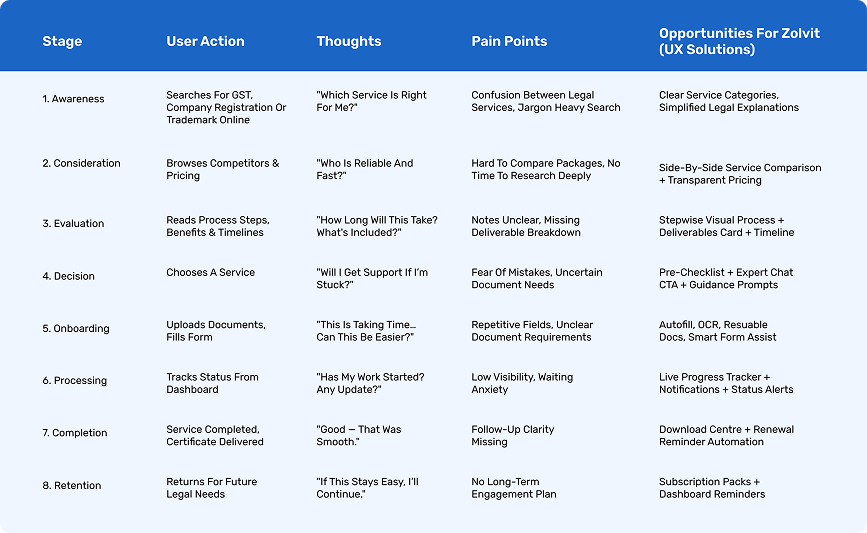
User Journey Map
Usability Studies
Conducted multiple rounds of usability testing to validate design decisions and iterate based on user feedback. Key findings included the need for clearer navigation, simplified forms, and more prominent trust indicators.
Results
38%
Increase in User Engagement
45%
Reduction in Bounce Rate
Check out the other project
(It's a little more interesting 😉)
Zolvit 360 – Enterprise GRC
Product & Dashboard
Bangalore Cafe Mobile App
Products
Design System Process
Product & UI Foundations
Project Overview
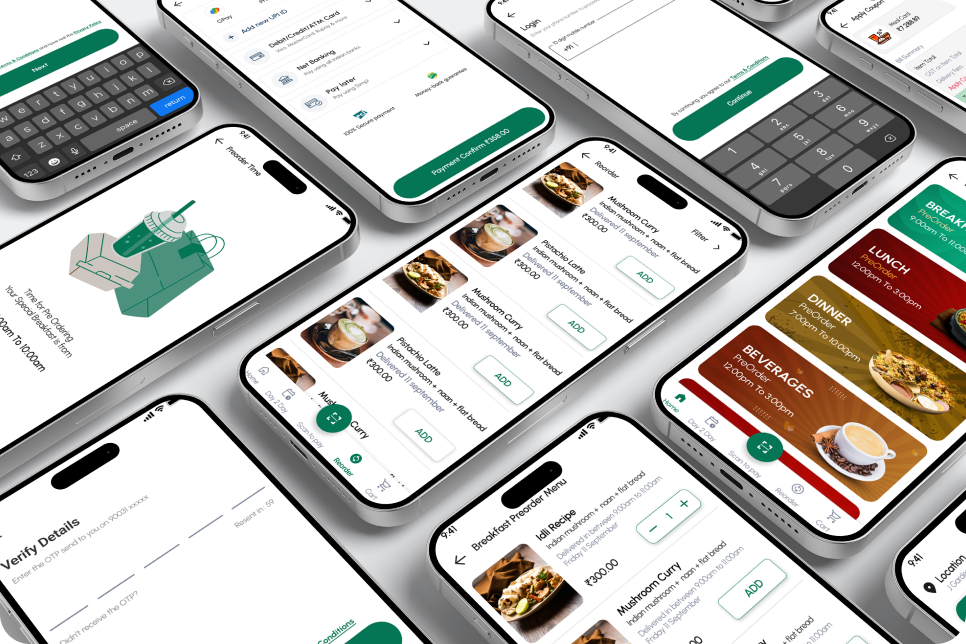
Bangalore Cafe is a mobile food delivery application designed to simplify the end-to-end ordering experience for café customers—from onboarding to payment and order tracking. The project focuses on creating a fast, intuitive, and visually consistent experience that reduces friction during ordering while supporting features like delivery, takeaway, dine-in, and pre-orders.
The app caters to users who frequently order beverages and meals, emphasizing quick discovery, easy reordering, flexible scheduling, and secure payments. The overall design prioritizes clarity, accessibility, and speed, ensuring users can complete an order in just a few taps.
Tools used
Problem and Solution
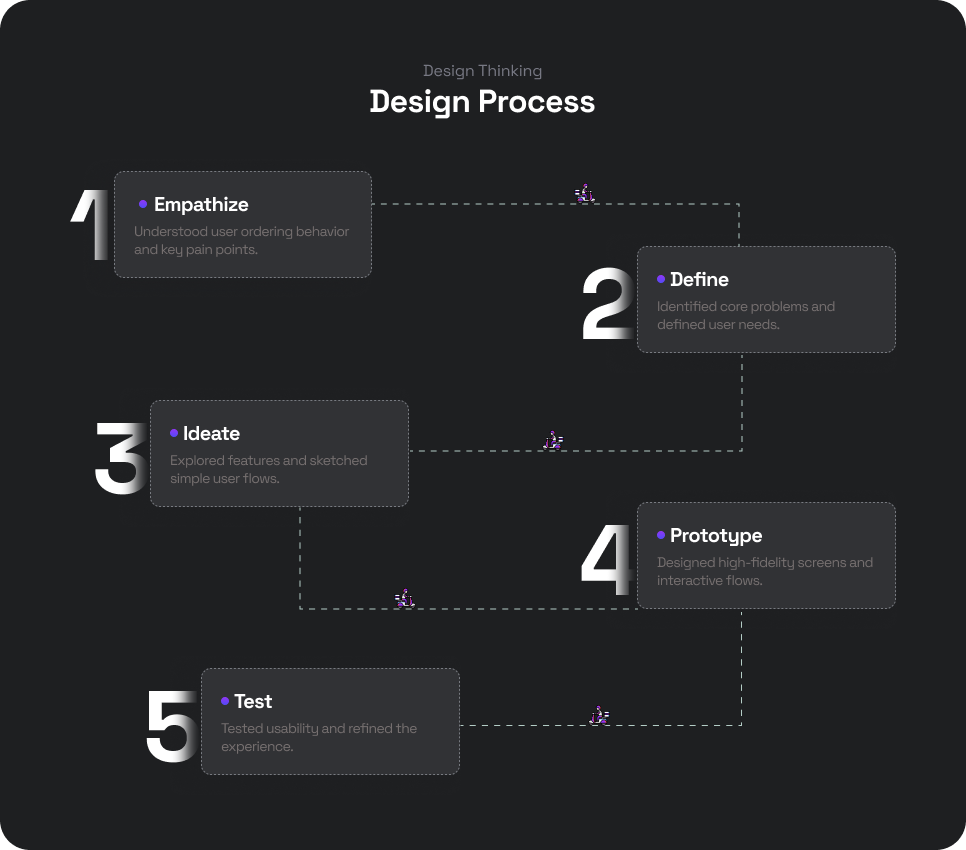
Design Process
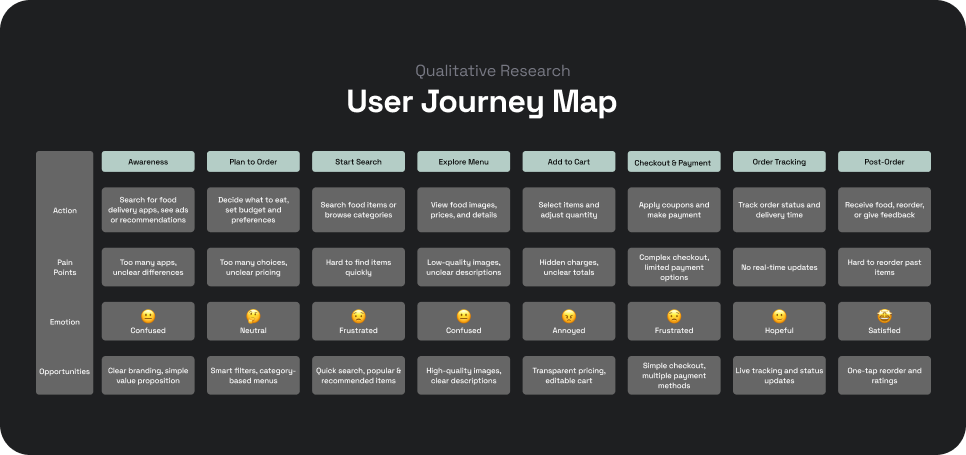
User Journey Map
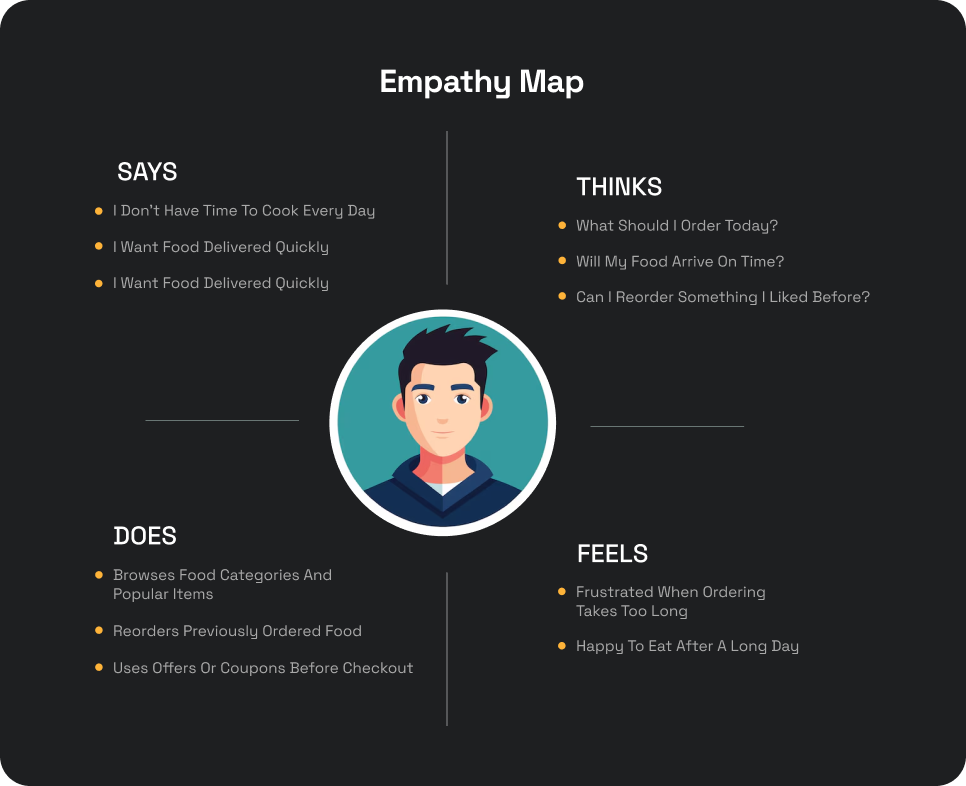
Empathy Map
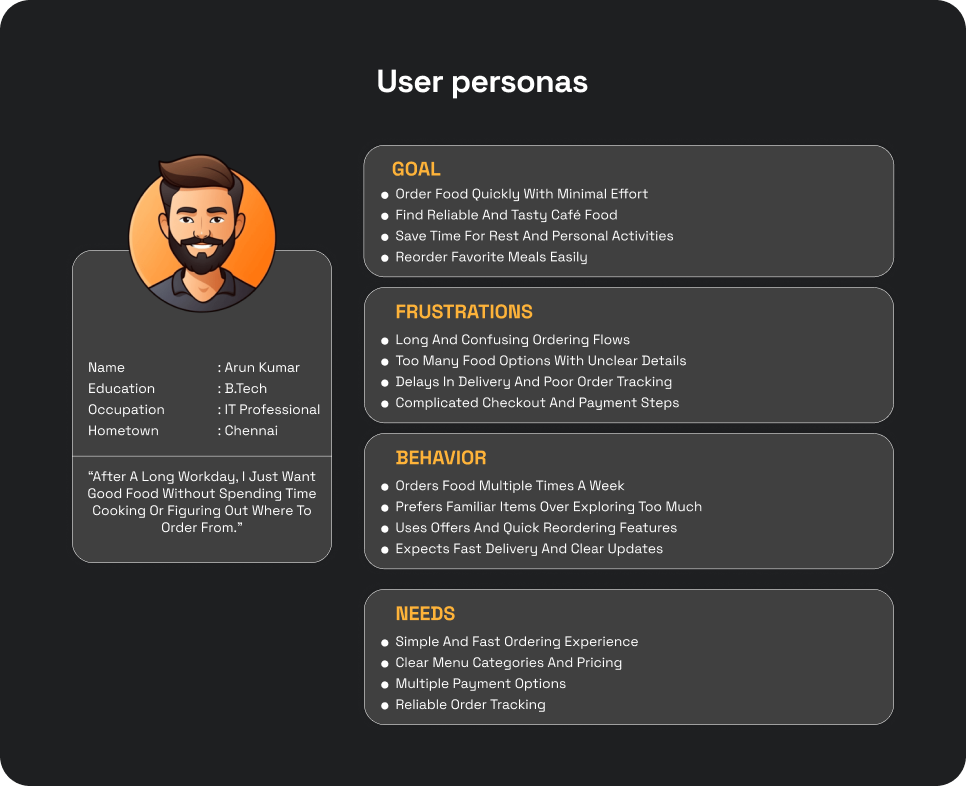
User Personas
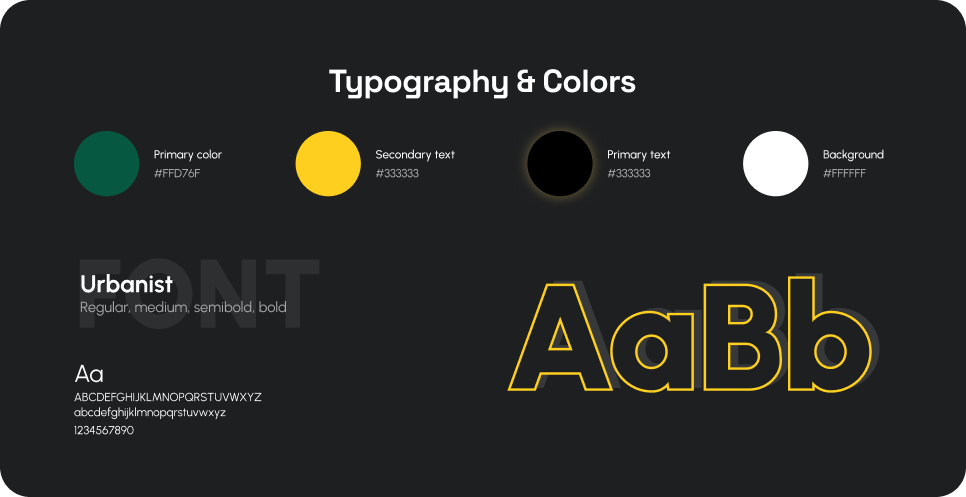
Typography and Colors
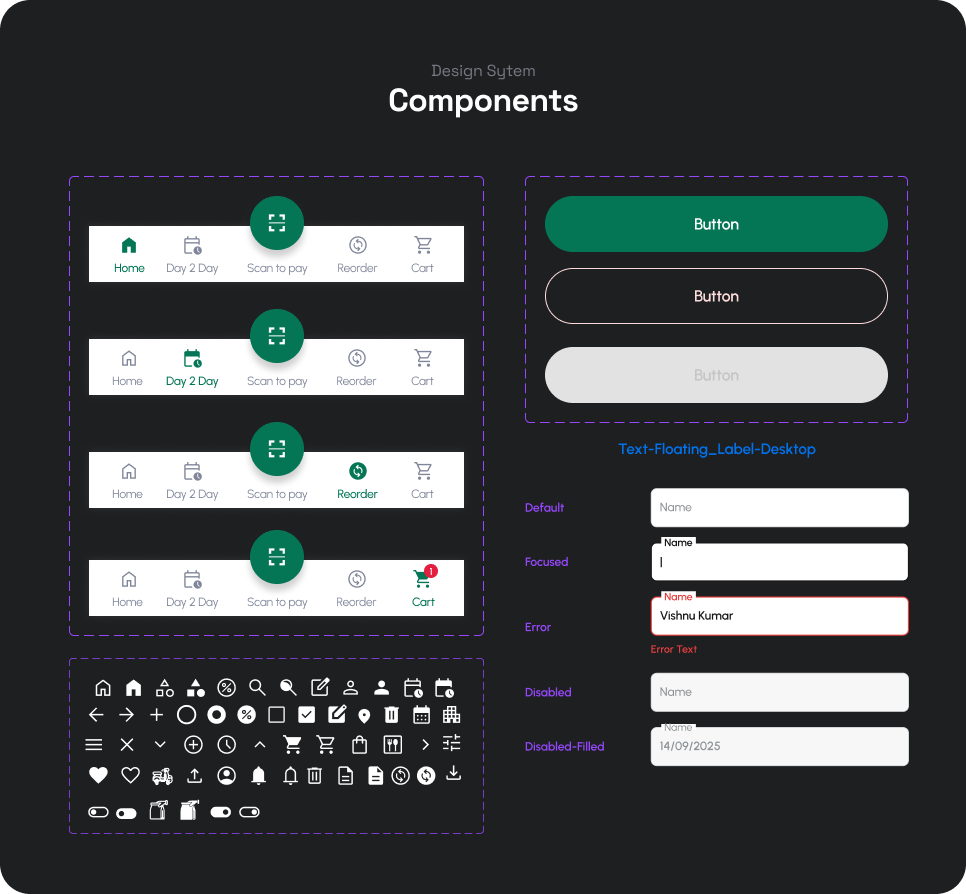
Components
Home Page
Apply Coupon Feature
Transactions
Check out the other project
(It's a little more interesting 😉)
Zolvit 360 – Enterprise GRC
Product & Dashboard
Revamping Vakilsearch (Zolvit)
Website
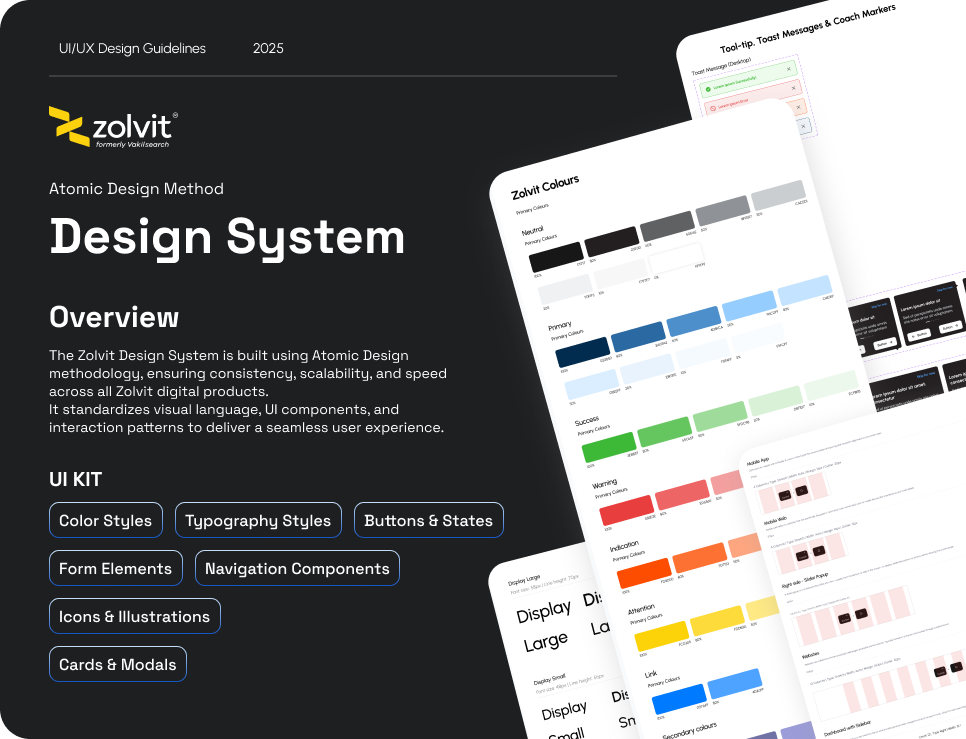
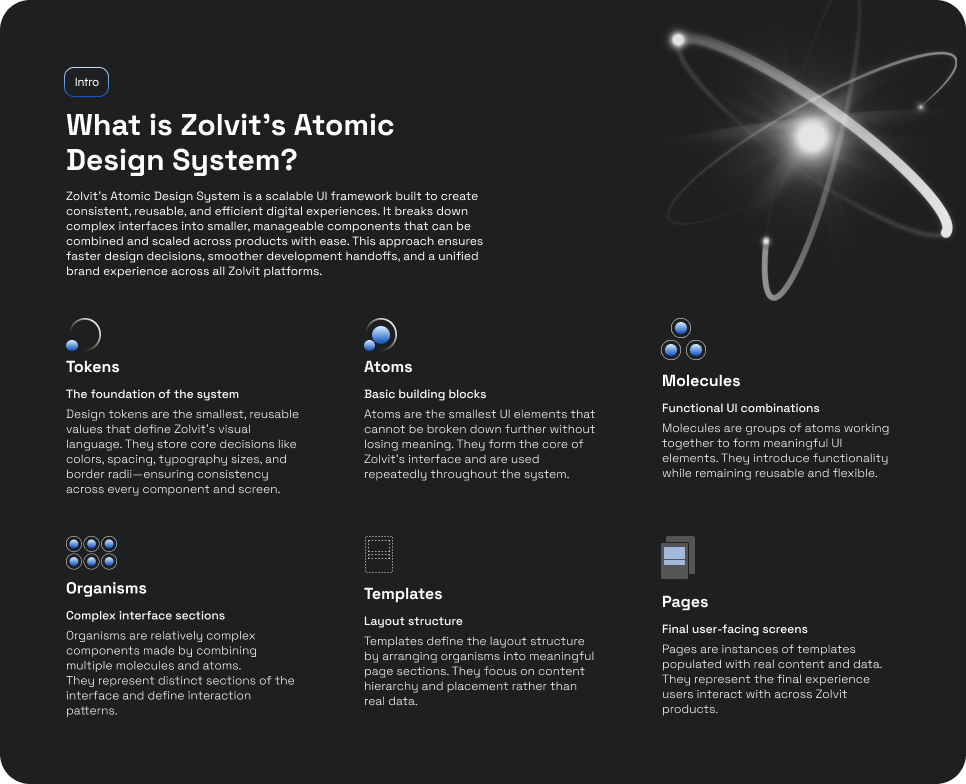
Design System Process
Product & UI Foundations